SingFX
Karaoke key changer & vocal remover for Android
Change the key of YouTube, or any app on your phone, and sing karaoke in your own range. Vocal remover and EQ included.
Free · open source (GPL-3.0) · Android 10 or newer · no ads, no tracking
What it does
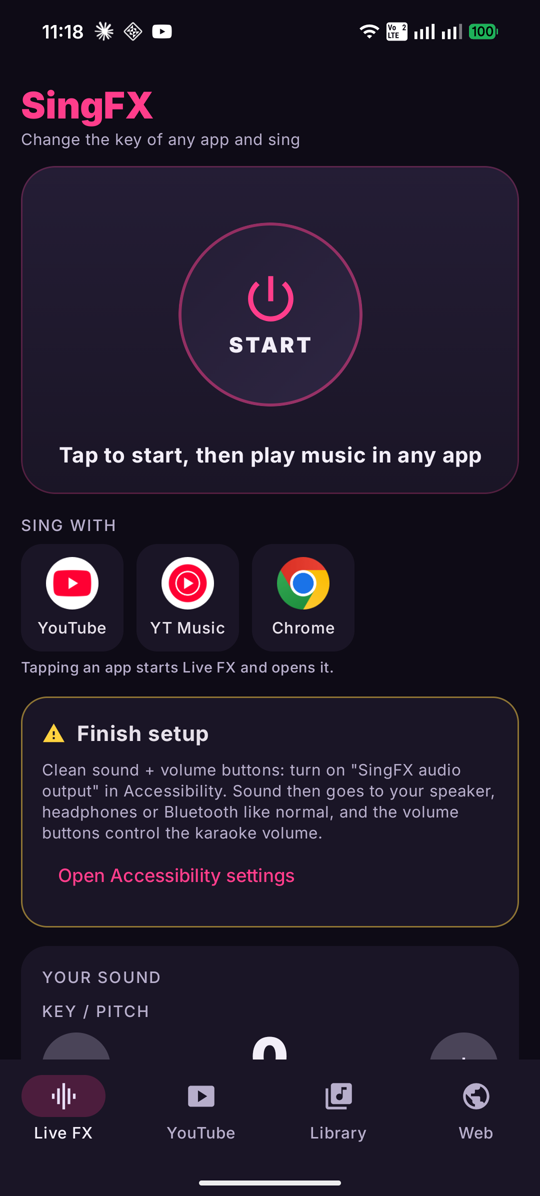
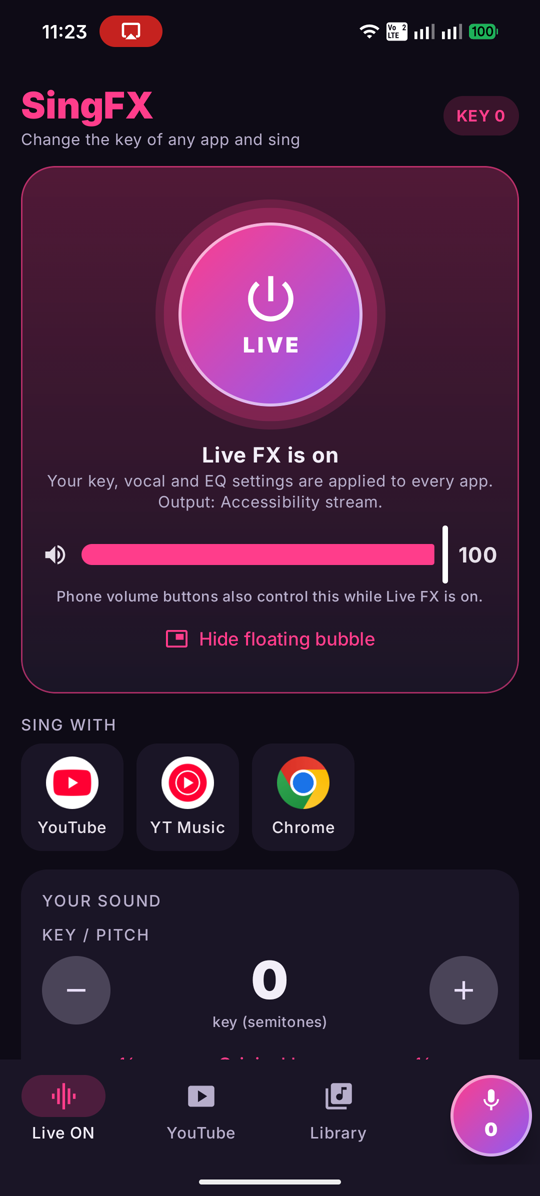
Live FX processes the sound from YouTube, YouTube Music, Chrome and most other apps. Move the key up or down in half steps.
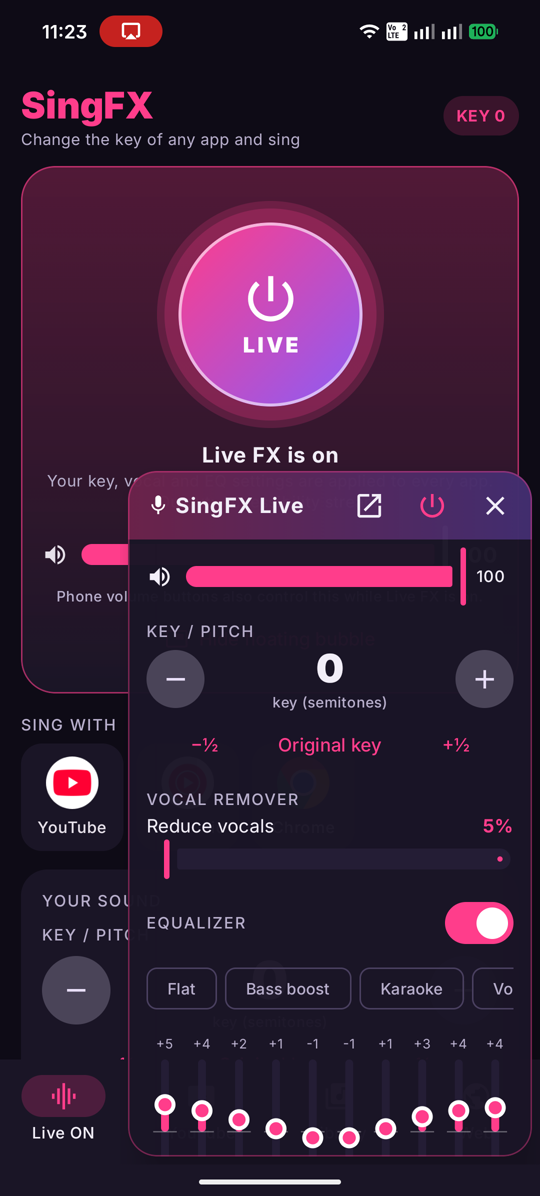
A bubble floats over the app you're singing with. Tap it for key, vocal remover, EQ and volume.
Reduces the lead vocal on most studio tracks so you can sing over the music.
Presets for karaoke, bass boost, vocal boost and more, plus an output boost with a limiter.
Plays songs and videos from your phone, YouTube search, any web page, and direct media links. Includes speed control and an A–B loop.
While Live FX is on, your phone's volume buttons control the karaoke volume.
Install
- On your Android phone, tap Download for Android above.
- Open the downloaded
SingFX.apk. If asked, allow your browser or file manager to install unknown apps. - If Play Protect warns about an unrecognized app, tap More details → Install anyway. SingFX isn't on the Play Store yet, so Google doesn't recognize it.
- Open SingFX. It checks GitHub for new versions and offers updates by itself.
Sing with YouTube
- Open SingFX and finish the short setup on the home screen: allow the floating bubble and turn on SingFX audio output in Accessibility. That setting gives SingFX its own sound channel and lets the volume buttons control it. It never reads your screen.
- Tap YouTube under "Sing with" and allow the screen-share prompt. Android requires this before one app can process another app's audio. Nothing is recorded or saved.
- Play a song, then tap the bubble and change the key.
"Restricted setting" when turning on SingFX audio output? Android blocks accessibility settings for apps installed from a download. Open Settings → Apps → SingFX, tap the ⋮ menu (top right), choose Allow restricted settings, then go back and turn it on. SingFX also works without it: sound then plays on the alarm channel, and the volume buttons work less smoothly.
Apps that block audio capture (Netflix and some music apps) can't be processed. Live FX adds a small delay of about 0.1–0.2 seconds. The built-in player has none.
Questions
How do I change the key of a YouTube song on Android?
Install SingFX, tap YouTube under "Sing with", allow the screen-share prompt, and play the song. Tap the floating bubble and use + or − to move the key up or down in half steps. The tempo stays the same.
Can I remove the vocals from a YouTube song?
Yes. SingFX's vocal remover reduces the lead vocal on most studio recordings, so you can sing over the music.
Does SingFX need root?
No. SingFX uses Android's playback capture feature, which works on normal phones with Android 10 or newer.
Does it work with a Bluetooth karaoke speaker?
Yes. Turn on "SingFX audio output" in Settings → Accessibility, and the processed music plays only through your Bluetooth speaker. If the switch is greyed out, open Settings → Apps → SingFX → ⋮ → Allow restricted settings first.
Which apps does it work with?
YouTube, YouTube Music, Chrome and most other apps that play music. Apps that block audio capture, like Netflix and some music apps, can't be processed.
Is SingFX free?
Yes. SingFX is free and open source, with no ads and no tracking.